


RAISE-365
3.6154.00 Reviews
App Specs
- Version
- 2.0.10
- Updated On
- License
- Free
- Downloads
- 100,000+
- Developer
- Raise 365
- Categories
- Events
- Platform
- Android
Screenshots

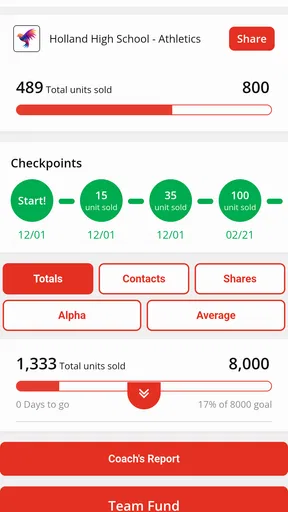
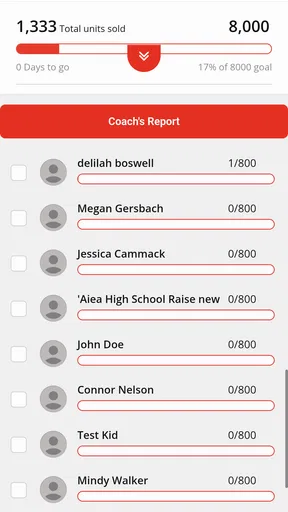
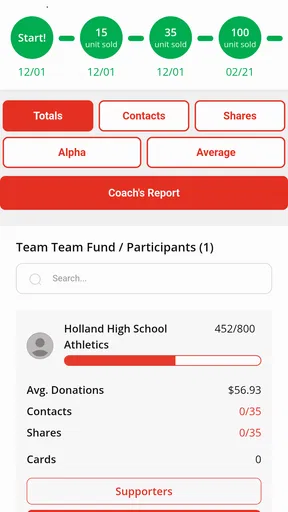
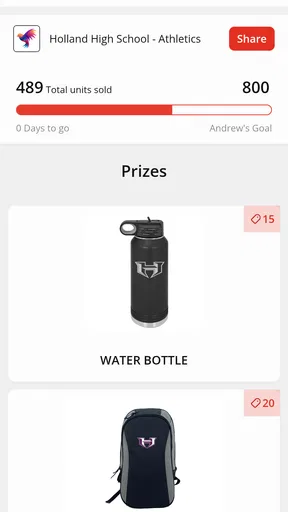
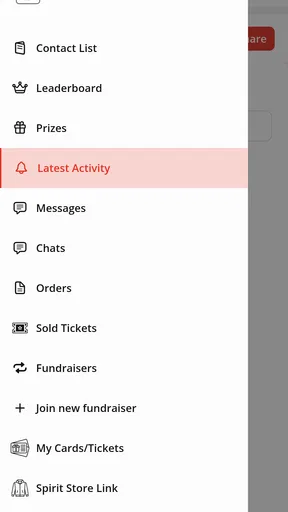
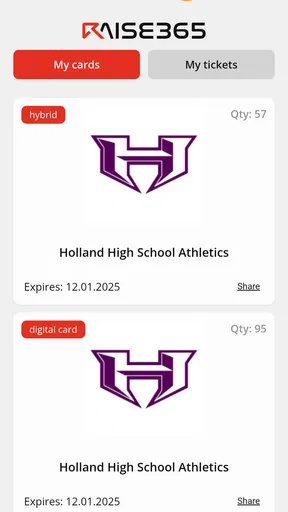
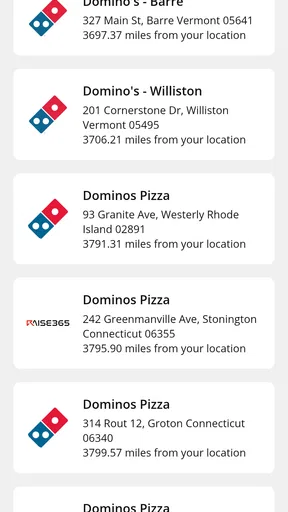
 Analysis by AppCompare
I judge an event fundraising app by whether it helps a group coordinate the work around a campaign, not by whether it promises to make every part effortless. RAISE-365 is aimed at fundraising, and its appeal is clearest when a school group, club, or community organization needs a shared place to keep an event effort moving. I would approach it as a practical aid to coordination rather than a complete replacement for the conversations, planning, and follow-through that fundraising still requires.
Where a shared fundraising tool can help
Fundraising usually involves more than collecting money. Someone has to agree on a goal, get volunteers moving in the same direction, keep participants informed, and make sure small tasks do not disappear between meetings. An app focused on this work can be useful when a group is spread across busy schedules and needs a common point of reference. That is the context in which I would consider RAISE-365: as support for organizing an event effort, not as a shortcut around the effort itself.
Picture a parent volunteer preparing for a school fundraiser after work. They may be juggling messages from other families, reminders about the next planning step, and questions from people who could not attend the last meeting. A dedicated fundraising app is most valuable in that kind of ordinary muddle: it gives the group a reason to keep campaign-related activity together instead of letting every detail drift into separate conversations. I would still confirm important arrangements directly, but a shared tool can help reduce the chance that a volunteer assumes somebody else has handled a task.
That distinction matters when deciding whether this app fits. A person raising money alone for a one-off personal need may be better served by a simple donation page or a direct appeal. A team coordinating an event, where several people need to contribute and stay aligned, has more reason to try an event fundraising app. The benefit is less about adding another screen to check and more about giving a group a recognizable place to return to as plans develop.
Getting Started with RAISE-365
Getting started with RAISE-365 is pretty straightforward. After downloading it from either the Google Play Store or the Apple App Store, you’re greeted with a sleek interface that’s as welcoming as a warm cup of coffee on a Monday morning. The app is designed to be user-friendly, so even if you’re not the most tech-savvy person, you’ll find it easy to navigate around.
The first thing you do is set up your profile, which includes your goals and the areas you want to focus on. This is where the magic begins! The app tailors its suggestions and plans based on your input, creating a personalized experience that feels just right.
Features That Stand Out
One of the coolest features of RAISE-365 is its goal-tracking capability. You can break down your big, audacious goals into smaller, manageable tasks. This is incredibly useful if you’re like me and tend to get overwhelmed by the sheer size of your to-do list.
Worth Reading Before You Choose

EA SPORTS FC Mobile 26 Is a Bigger Football Game, but It Takes Time

Flipboard Shows What News Apps Must Do Beyond the Feed

Switching to Android Auto Means Rethinking Your Driving Routine

Google Calendar Makes a Crowded Week Easier to Manage

Ludo King Makes the Most of the Minutes Between Plans

Baby Panda World Brings Quick Play to Modern Phones, but Its Game Library Feels Busy
Another impressive feature is the daily motivation quotes and tips. It feels like the app knows when I need a little push. These nuggets of wisdom are thoughtfully curated and sometimes, they’re just the thing I need to get back on track.
If you’re someone who enjoys tracking your progress, the app offers detailed analytics. You can see how far you’ve come on your journey toward achieving your goals, which is not only motivating but also gives you a clearer picture of where you need to improve.
Turning a campaign into manageable work
The practical value of goal tracking is easy to miss if you treat it as a number to watch rather than a prompt for action. For a fundraising event, I would use a target as the start of a short planning conversation: what needs to happen next, who can take it on, and when should the group check in again? Breaking a large aim into smaller steps is useful precisely because it lets volunteers make progress in the limited time they have between work, school, and family commitments.
A second useful habit is to agree on how often someone will update the group. If updates are sporadic, even a helpful progress view can become stale, and people may make decisions based on an old picture of the campaign. I would pick one person to prompt a regular check-in and keep the rest of the team’s updates concise. That is not a special feature claim; it is the kind of routine that makes any shared fundraising tool more dependable.
Motivational material can help with morale, but I would not expect it to solve the harder parts of organizing. A quote may give a volunteer a small lift on a tiring day; it cannot replace clear responsibilities, a realistic schedule, or a direct answer when someone is unsure what to do. I see encouragement as a pleasant extra, while useful coordination and honest progress updates should carry the real weight of a campaign.
Why RAISE-365 is a Game-Changer
Let’s talk about why this app is a game-changer. In today’s fast-paced world, managing time effectively is crucial, and this app helps you do just that. The customizable reminders are a lifesaver for someone like me who tends to forget things amidst the hustle and bustle.
Moreover, the app’s community feature lets you connect with other users. You can share your progress, exchange tips, and even find accountability partners. It’s like having a support group at your fingertips, and that’s something truly valuable.
How it fits alongside familiar alternatives
Compared with the usual options, a dedicated fundraising app has a different job from a group chat, a shared calendar, or a basic donation page. Chats are familiar and quick, but decisions and reminders can get buried in unrelated messages. A calendar is good for dates, yet it is not necessarily where a team discusses progress or keeps its fundraising effort in view. A donation page can make the ask straightforward, but it does not automatically help volunteers coordinate the work leading up to an event. RAISE-365 is worth considering when the organizing side is the friction point; if the group only needs one of those narrower functions, the simpler option may be easier to maintain.
Before inviting a whole team, I would also decide what belongs in the app and what should stay in direct communication. Campaign status and agreed next steps are useful to share broadly. Sensitive personal details or complicated decisions are better handled carefully and with the people who need to know. This small boundary-setting step can keep a community tool useful without turning it into a place where every conversation has to happen.
For a small group, one practical test is to use the app for a single planning cycle before making it the center of every campaign. Ask whether participants actually check it, whether the information is easier to find than in existing channels, and whether it reduces confusion rather than adding another obligation. If volunteers do not return to it, the group should simplify its process instead of insisting that everyone adopt an unused tool. The best setup is the one the team can keep up consistently.
A Few Things to Keep in Mind
No app is perfect, and RAISE-365 is no exception. While it’s packed with features, it does require a bit of commitment to get the most out of it. You’ll need to regularly update your progress and engage with the app, which might be a tad demanding for some.
Also, while the app is free, there are premium features available that require a subscription. I recommend trying out the free version first to see if it fits your needs before deciding to upgrade.
One limitation I would take seriously is the human one: a tool cannot make an inactive committee responsive or turn an unclear plan into a workable one. If only one organizer keeps the app current, its shared value can fade quickly. Before a fundraiser begins, it helps to agree who will maintain the information and how often everyone should check it. That prevents the app from becoming a second, neglected version of the same plan.
It is also sensible to think through what your event actually needs before settling on a tool. A group that mainly needs to coordinate dates may find a shared calendar enough. A group that needs a place for broader campaign work has a stronger reason to explore a fundraising-focused app. I would not adopt it just because it has more features than the simplest alternative; I would adopt it only if those features solve a real coordination problem for the people involved.
Who I would recommend it to
RAISE-365 is most appealing to organizers who already have a group willing to participate and want a more focused way to keep fundraising activity moving. That might include a volunteer coordinating an event, a club leader trying to keep members engaged, or a community organizer who needs participants to work toward a common aim. Its value is likely to be greatest when people have recurring tasks and a reason to review progress, rather than when someone only wants to make a single appeal and move on.
I would be more cautious if you strongly prefer to keep all planning in face-to-face conversations, already have a group system that everyone reliably uses, or simply need a one-time way to accept donations. In those cases, another app can mean more notifications and more maintenance without enough benefit. A good way to decide is to identify the precise breakdown you want to prevent—missed tasks, scattered updates, or poor visibility into progress—and try the app only if it addresses that issue for your group.
RAISE-365 is a free events app from Raise 365, with an Everyone age rating and a 3.4 average from around 275 ratings. It has passed 100,000 installs, and version 2.0.10 is available for devices running Android 7.0 or later. Those details make it easy to see that it has reached a substantial audience, while the average rating suggests I would approach it with measured expectations rather than assume it will suit every organizer.
Final Thoughts
In summary, RAISE-365 is a fantastic tool for anyone looking to boost their productivity and achieve their goals. It’s user-friendly, packed with features, and offers a level of personalization that makes it feel like it was made just for you. Whether you’re a student, a professional, or just someone looking to get more organized, this app is worth checking out.
So, if you’re ready to take your productivity to the next level, give RAISE-365 a try. It might just be the nudge you need to turn those dreams into reality.
My recommendation comes with an important qualification: the published description of RAISE-365 identifies it as a fundraising app, so I would judge it by whether it helps a real event team organize its campaign rather than by the productivity claims in the passages above. The event context is the useful lens for deciding whether to install it. If your group has a concrete fundraising effort and is willing to keep its shared information current, trying the free app is a reasonable first step; if the need is only a payment link or a calendar, a simpler tool may be the better choice.
Pros
- User-friendly interface for easy navigation.
- Comprehensive habit tracking features.
- Customizable reminders and alerts.
- Integrates with health apps seamlessly.
- Supports multiple goal categories.
Cons
- Limited free version functionality.
- Requires constant internet connection.
- Occasional sync issues with devices.
- In-app ads can be intrusive.
- Some features are locked behind paywall.
FAQs for RAISE-365
What is RAISE-365 and how does it work?
RAISE-365 is a productivity app designed to help users set and achieve daily goals. The app uses a combination of task management, motivational reminders, and progress tracking to keep users engaged and focused. By setting specific goals, users can monitor their achievements and receive insights on how to improve their productivity.
Is RAISE-365 available on both Android and iOS?
Yes, RAISE-365 is available for download on both Android and iOS platforms. Users can find it on the Google Play Store for Android devices and the Apple App Store for iOS devices. The app is optimized for both operating systems, ensuring a smooth user experience across devices.
Does RAISE-365 require an internet connection to function?
RAISE-365 primarily works offline, allowing users to access their goals and progress without needing an internet connection. However, certain features, such as cloud backup and syncing across devices, do require an internet connection. This ensures that users can maintain data consistency and access their information from multiple devices.
Is there a cost to download and use RAISE-365?
RAISE-365 offers both free and premium versions. The free version provides basic features for personal productivity, while the premium version offers additional features such as advanced analytics, personalized coaching, and customization options. Users can choose the plan that best fits their needs, with the option to upgrade at any time.
What security measures are in place to protect user data on RAISE-365?
RAISE-365 prioritizes user data security with robust encryption protocols and secure data storage practices. Personal information and progress data are encrypted, ensuring that user data remains confidential. The app also offers the option for users to enable two-factor authentication for an additional layer of security.


